The Lifeline program gives SNAP recipients a free phone with talk, text, and data every month. One phone per household, no exceptions.
But the part that trips people up is the one-per-household rule. If someone in your home already gets a Lifeline discount on internet or a landline, you cannot stack a free phone on top of it.
This article is for the SNAP recipient who needs a working phone for job interviews, medical calls, or keeping a connection to family and has never applied for Lifeline before.
Who Qualifies for a Free Phone Through SNAP?
Lifeline eligibility for SNAP participants requires active enrollment in the program and a valid residential address. The FCC administers Lifeline through approved carriers and the National Verifier system.
Your SNAP enrollment alone can qualify you. You do not need to meet a separate income threshold if your SNAP status is current and verifiable.
The One-Per-Household Catch
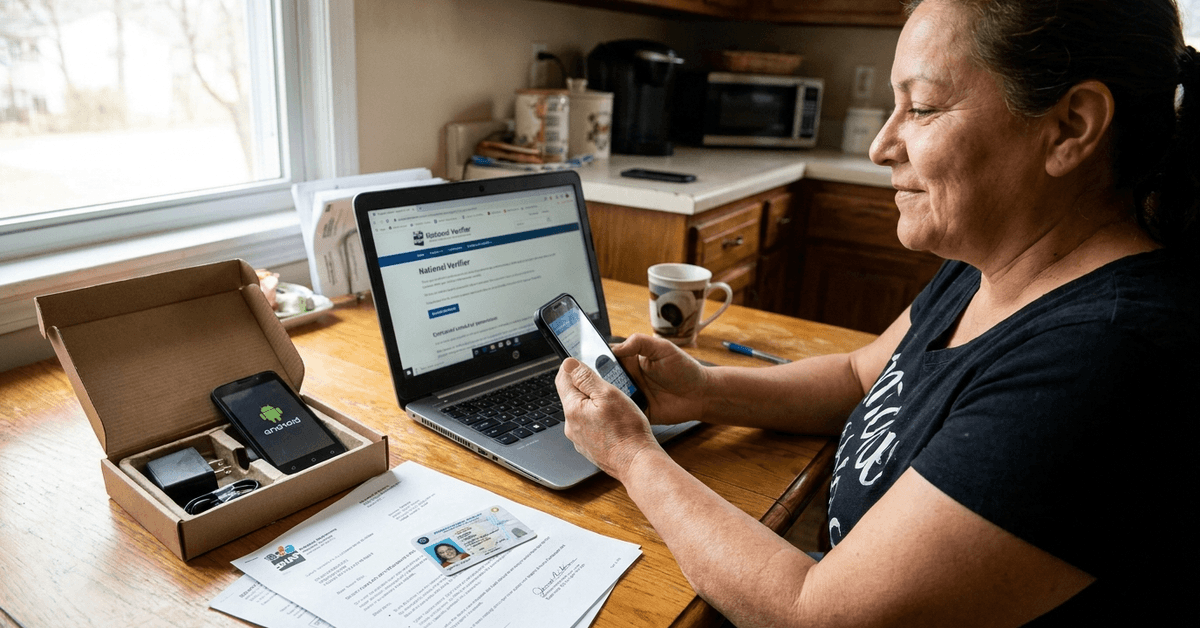
Only one Lifeline benefit per household is allowed. That means one phone, one internet discount, or one landline discount. Not one of each.
If your roommate or spouse already claims a Lifeline service at the same address, a second application gets denied.
I would double-check the National Verifier at checklifeline.org before starting an application. A quick search there tells you if your address already has an active Lifeline account.
What Counts as Proof
The FCC accepts specific documents during application:
- A recent SNAP approval letter or benefit statement showing your name and active status
- A government-issued photo ID like a driver's license, state ID, or passport
- Proof of address such as a utility bill, lease agreement, or bank statement
- Your Social Security number or documentation of legal U.S. residency
P.O. boxes cause problems. Some providers reject them outright. If your mailing address is a P.O. box, call the provider before applying to ask about alternatives.
Picking a Lifeline Provider That Ships to Your State
Lifeline carriers vary by state. Assurance Wireless, SafeLink Wireless, and Q Link Wireless are the three largest, but not all of them operate in every state.
Each carrier offers slightly different plans. The differences show up in data caps, phone models, and shipping timelines.
| Provider | Typical Data Allotment | Phone Type | Shipping Time |
|---|---|---|---|
| Assurance Wireless | 4.5 GB/month | Basic Android | 7–10 business days |
| SafeLink Wireless | 4.5 GB/month | Basic Android | 5–10 business days |
| Q Link Wireless | 3 GB/month (varies by state) | Basic Android | 7–14 business days |
Q Link offers less data in some states than Assurance or SafeLink, so checking your state-specific plan matters before you commit.
Data Throttling and Hidden Add-On Fees
Free plans come with data caps. Once you hit the limit, speeds drop hard. Most Lifeline plans throttle to 128 kbps after the monthly allotment runs out.
Some carriers let you buy extra data for $5 to $10 per gigabyte.
I think the smarter move for Q Link users specifically is to connect to Wi-Fi whenever possible and save mobile data for maps and calls. Paying for add-on data on a program designed to be free defeats the purpose.
How the Lifeline Application Process Works Step by Step
The application runs through the National Verifier, which is the FCC's centralized eligibility system. Most carriers route you to this system during online signup.
You can apply online, by mail, or at local enrollment events hosted by Lifeline carriers.
Applying Online
The fastest route is online. You fill out a form with your name, date of birth, last four digits of your SSN, address, and SNAP participation details. The National Verifier checks your eligibility against SNAP databases in real time.
Upload photos or scans of your documents during the application. Blurry uploads cause delays, so take clear photos against a flat surface.
Applying by Mail or at Events
Mail applications take longer. You print the form, attach copies of your documents, and send everything to the carrier. Expect two to four weeks for processing.
Local enrollment events pop up at community centers, food banks, and social services offices. These events let you apply in person and sometimes walk out with a phone the same day.
What Phone Do You Get and Is It Any Good?
Lifeline phones are basic Android smartphones. Think entry-level models with small screens, limited storage, and slower processors.
They handle calls, texts, email, and simple apps. Job search apps, Google Maps, and telehealth portals all run fine on these devices.
When the Free Phone Feels Like a Downgrade
If you previously used a newer smartphone, the Lifeline device will feel slow. App switching lags. Camera quality is poor. Storage fills up fast if you install more than a handful of apps.
My take on the phone quality: the device is a tool for communication, not entertainment. Expecting a flagship phone from a free program sets you up for disappointment.
The real question is whether you need a working number and data connection. If yes, the phone does that job.
Scams That Target Lifeline Applicants
Fake Lifeline providers run ads on social media promising premium phones or unlimited data. They collect personal information and disappear.
The FCC publishes an official list of approved carriers. If a company contacts you offering a Lifeline phone and they are not on the FCC's Lifeline provider list, do not share your Social Security number or any personal documents.
Red flags to watch for:
- Requests for upfront payment to receive a "free" phone
- Promises of unlimited everything with no data cap
- Providers asking you to apply through a non-.gov website with no connection to the National Verifier
- Door-to-door salespeople pressuring you to sign up immediately
Annual Recertification: The Step That Cancels Free Phones
Lifeline requires annual recertification of your SNAP status or income eligibility. Miss the recertification window and your service gets disconnected automatically.
Carriers send reminders by text, mail, or email. Set a calendar reminder 30 days before your anniversary date. The recertification process usually takes five minutes online through the National Verifier.
What Happens If Your SNAP Benefits End
If you lose SNAP eligibility, you can still qualify for Lifeline through income verification. The threshold is at or below 135% of the federal poverty guidelines.
For a single person in 2026, that translates to roughly $20,783 annually based on HHS poverty guidelines.
Losing SNAP does not mean automatic Lifeline disconnection. You get a window to recertify through income instead.
Questions People Ask About Free Government Phones for SNAP
A few things come up repeatedly that deserve quick answers.
- Q: Can I keep my current phone number when I switch to Lifeline?
Some carriers allow number porting, but not all. Ask the specific Lifeline provider during application whether they accept number transfers. SafeLink and Q Link have supported porting in the past, though policies shift. - Q: Does applying for a Lifeline phone affect my SNAP benefits?
No. Lifeline is a separate federal program. Receiving a free phone does not reduce your SNAP allotment or count as income for benefit calculations. - Q: Can I use a Lifeline phone as a hotspot?
Most Lifeline plans do not include hotspot functionality. The data allotment covers on-device usage only. Some carriers offer hotspot as a paid add-on, but it eats through the monthly data cap fast. - Q: What if I move to a different state?
You will likely need to de-enroll from your current Lifeline provider and re-apply through a carrier operating in your new state. The National Verifier tracks enrollments nationally, so the transition is possible. Expect a gap in service during the switch. - Q: Can two people in the same household both get Lifeline phones?
No. The FCC enforces one Lifeline benefit per household. Two people living at the same address cannot each receive a free phone or service, even if both qualify individually through SNAP.
Conclusion
A free government phone through SNAP gives you a working number, basic data, and text. Lifeline carriers differ in data caps and phone models, so compare plans on checklifeline.org before applying.
Scam providers target Lifeline applicants hard, and sticking to FCC-listed carriers protects your personal information. The annual recertification step catches the most people off guard, so mark that date the day your phone arrives.